
Top iPad Productivity Apps ipad productivity apps

Via: http://michaelhyatt.com/top-ipad-productivity-apps.html

22934
553
Plugin-loader
Filter
ipad microsoft office productivity project management task
  1. EverNote

    EverNote
    Evernote for iPad lets you make new text and audio notes, as well as view your existing Evernote content all with a swipe or tap of your finger.
  2. DropBox

    DropBox
    Dropbox is a free service that lets you bring your photos, docs, and videos anywhere and share them easily.
  3. Flipboard

    Flipboard
    Flip through your readers, magazines, and social networks in magazine format.
  4. Instapaper

    Instapaper
    Save long web pages to read later, when you have time, on your computer, iPhone, iPad, or Kindle.
  5. GoodReader

    GoodReader
    GoodReader is the super-robust PDF reader for iPad, iPhone and iPod touch.
  6. Logmein ignition

    Logmein ignition
    LogMeIn Ignition gives you direct, one-click remote access without a browser.
  7. Pages

    Pages
    Pages is the powerful word processor from iWork, redesigned for iPad and Multi-Touch. So you can create beautiful documents using just your fingers.
  8. Reeder

    Reeder
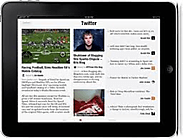
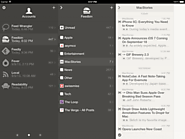
    Very good RSS reader
  9. IAnnotate PDF

    IAnnotate PDF
    iAnnotate is an elegant PDF reader and a powerful annotation tool
  10. NewsRack

    NewsRack
    Learn about, read reviews, and download NewsRack by omz:software on the Mac App Store.
  11. Pulse News Reader

    Pulse News Reader
    Cool Reader App
  12. Documents to Go

    Documents to Go
    View, edit and create Microsoft Word, Excel and PowerPoint files & attachments on your iPad, iPhone or iPod Touch.
  13. Penultimate

    Penultimate
    Penultimate is an outstanding handwriting app. A newly added feature makes it much easier to locate older notes and diagrams. Recommend using an iPad stylus with this app (though not necessary).
  14. TaskPaper

    TaskPaper
    Great outliner with notes in it. Wonderful simple UI.
  15. Zite

    Zite
    Zite is a personalized iPad magazine that gets smarter as you use it
  16. Read It Later Pro

    Read It Later Pro
    Very similar to Instapaper in concept, but better
  17. Things

    Things
    Things is a beautifully focused and amazingly intuitive task manager. Other todo applications either oversimplify or are too difficult to use. Things instead offers the perfect balance between ease of use and powerful features.
  18. Omnifocus

    Omnifocus
    Similar to Things. Manage all your tasks, projects, and to-do's. Sort by specific category, type and place. Also wirelessy sync with your computer through "cloud" database.
  19. Bento

    Bento
    Excellent, simple database that integrates with Contacts and syncs with Mac and iPhone. Gives you a lot more power with your addressbook and allows you to track lots of other lists.
  20. Mover+

    Mover+
    With the free Mover Connect application added on your Mac, Mover+ allows you to move stuff from your iPad or iPhone to your Mac, from your Mac to your iPad or iPhone, or between Macs!
  21. Appigo Todo

    Appigo Todo
    Appigo Todo is the most connected iPhone and iPod touch app and makes task management simple and fun. Synchronize with Todo Online, iCal, Outlook, and Toodledo.com.
  22. Priority Matrix

    Priority Matrix
    Uses Covey's priority matrix of urgent & important in a simple to do list app. LOVE IT.
  23. iMockups for iPad

    iMockups for iPad
    Fast prototyping over coffee! Excellent way to rapidly mock up a layout for website or mobile app.
  24. Atomic Web

    Atomic Web
    Awesome Web Browser
  25. popplet

    popplet
    Mindmapping, Vision Board app that will not disappoint
  26. Awesome Note

    Awesome Note
    Combines Evernote and GTD in one place! Syncs with Evernote and Google Docs. I've used evernote, todo, things, google tasks, etc. Awesome Note is not talked about but is a tremendous app.
  27. Nozbe

    Nozbe
    Simply Get Things Done with Nozbe. Web-based and iPhone, iPad based time- and project-management application for busy people and teams.
  28. Office HD

    Office HD
    With Office² HD, you can view, edit and create Microsoft Word compatible documents and Microsoft Excel compatible workbooks on the iPad. Additionally, Office² HD acts as a local file store, letting you store and view files of most types.
  29. iTap RDP

    iTap RDP
    Remote desktop connection in case you have a Windows program that has to be accessed.
  30. Noterize

    Noterize
    Import your PDFs and annotate and mark them up, add audio, add notes. Very powerful!
  31. Adobe Ideas

    Adobe Ideas
    Great for graphic designers on the run.
  32. Air Display

    Air Display
    Air Display lets you position your iPad next to your computer, drag windows onto it, and interact with those windows as you would on any other computer display.
  33. WritePad

    WritePad
    WritePad is a unique text editing software that allows users to enter text utilizing ** advanced handwriting recognition software for cursive, print, or mixed handwriting styles ** on iPhone and iPod Touch devices.
  34. SpringPad

    SpringPad
    Excellent complement to Evernote. Similar functionality, but better with lists.
  35. Blogsy

    Blogsy
    if you are a blogger with an iPad you should try this app is amazing!.
  36. SugarSync - File Sync & Online Backup

    SugarSync - File Sync & Online Backup
    Access and File Sharing. SugarSync's online backup, file sync and sharing service makes it easy to stay connected. Get secure cloud storage for all your files — documents, music, photos, and videos.
  37. Speak It

    Speak It
    Very good text to speech app.
  38. FileBrowser

    FileBrowser
    Access files on a Server.
  39. Xpense Tracker

    Xpense Tracker
    XpenseTracker is an all inclusive expense tracking and reporting application for business or personal use.
  40. Taska

    Taska
    Learn more, read reviews, and download Taska for iPad by bitAlpha on the iTunes App Store.
  41. Wyse Pocket Cloud

    Wyse Pocket Cloud
    Wyse PocketCloud RDP App for iPhone, iPod touch, iPad and Android devices
  42. PrintBureau

    PrintBureau
    PrintBureau is the universal version of PrintCentral that runs on both iPad and iPhone. Printing from the iPad or iPhone with PrintCentral enables you to print to any printer connected to your PC or MAC, via a local network or over 3G.
  43. TwitRocker Lite

    TwitRocker Lite
    Best twitter app I've found
  44. SoundPaper

    SoundPaper
    "SoundPaper" distinguishes itself in this crowded app category by pairing audio recording with its basic keyboard or stylus (or finger) notetaking capabilities.
  45. MobileNoter

    MobileNoter
    Pretty cool note-taker which can sync with MS OneNote!
  46. KanbanTool

    KanbanTool
    Powerful project management tool for iPad
  47. Wunderlist

    Wunderlist
    Cross-platform task manager. Completely free (no ads) with cloud syncing to other iOS devices or personal computer!
  48. iThoughtsHD

    iThoughtsHD
    Really stunning mind mapping software - excellent for brainstorming, project planning, note taking...plus it integrates with Dropbox!

  49. 2do

    2do
    Most comprehensive and well design tasklist/project mgmt app I've ever used. Syncs with Toodledo as well.
  50. Mental Note

    Mental Note
    Improved notepad - can type, record voice memos, insert images, draw, highlight, tag files, it's fantastic! I've used to record meetings.
  51. SoundNote

    SoundNote
    Type or handwrite notes and/or draw while recording audio. While not as full-featured as the Pulse Smartpen, it's worked very well for me during meetings and conference calls (at a fraction of the cost). The DropBox integration allows you to backup and/or share notes and audio with colleagues.
  52. MobileRSS HD For Google

    MobileRSS HD For Google
    A great Google Reader app
  53. Moodboard Pro

    Moodboard Pro
    Incredible tool for nailing down the look and feel of any project from design to redecorating. Clip and use images from the web, sample and add color palettes from photos, add text. Great app!
  54. Peak Meetings HD

    Peak Meetings HD
    For better, faster meetings (or so meetings suck less).
  55. notes plus

    notes plus
    Awesome note taking tool that supports typing, handwriting and audio notes. Easy erase feature also. Great for conferences and blogging.
  56. Next!

    Next!
    Next! lets you manage your projects, create notes and store documents all in one place allowing you to keep track of everything and focus on what is important.
Awaiting Moderation
  1. CloudOn for iPad (MS Office on the iPad)

    CloudOn for iPad (MS Office on the iPad)
    For the first time you can get Microsoft Office® on your iPad. Seriously. CloudOn lets you use your iPad to create, view, and edit files directly in Microsoft Word®, Excel® & PowerPoint®. These applications will work the way you expect them to, and your files will look the way you want them to.
Via: http://michaelhyatt.com/top-ipad-productivity-apps.html