 Jon Samuelson
These are the apps that allow for students to use the iPad as a tool for creating great projects.
A Creative tool to collaborative storytelling. Write and share your creations with the apps special formula to spark creativity. Download your stories to PDF books.
Imagine a Mobile Game that was so cool, that adults could stimulate their creativity and kids would prefer to do homework first than watching TV, and even tweet and share it with their FB Friends!
Write it! Versus is a Creative Stimulation & Story Generation edutainment game that lets you reconnect with the creative kid you have inside. It helps to increase creativity, writing ability, faster thought processing, or just have plain fun exchanging mini stories with your friends.
Give it a Try, it's FREE!
30hands Mobile is a fun and innovative storytelling app that allows students, teachers and anyone with creativity to easily create stories or presentations based on photos, images or slides using a smart phone or tablet.
Different from other presentation apps, 30hands Mobile focuses on the power of storytelling. Like pages in a book, photos or images are dragged around the desktop into the order of the story. Next, the teacher or student records audio over each image. Finally, the story or presentation can be published to the device’s photo area or uploaded to a 30hands collaborative learning site.
Users include Students, Teachers, Presenters, Photographers, Bloggers, Journalists, Artists, Families
Read reviews, get customer ratings, see screenshots, and learn more about Skitch for iPad on the App Store. Download Skitch for iPad and enjoy it on your iPhone, iPad, and iPod touch.
Read reviews, get customer ratings, see screenshots, and learn more about Inspiration Maps on the App Store. Download Inspiration Maps and enjoy it on your iPhone, iPad, and iPod touch.
A Creative Learning app for the iPad that empowers kids to draw, animate, and narrate their own cartoons and share them with friends & family around the world.
Read reviews, get customer ratings, see screenshots, and learn more about ScreenChomp on the App Store. Download ScreenChomp and enjoy it on your iPhone, iPad, and iPod touch.
For taking notes in the field, adding images/photos right inside the notes and/or annotating images.
Read reviews, get customer ratings, see screenshots, and learn more about iCardSort on the App Store. Download iCardSort and enjoy it on your iPhone, iPad, and iPod touch.
Read reviews, get customer ratings, see screenshots, and learn more about Coach's Eye on the App Store. Download Coach's Eye and enjoy it on your iPhone, iPad, and iPod touch.
Read reviews, get customer ratings, see screenshots, and learn more about Corkulous Pro on the App Store. Download Corkulous Pro and enjoy it on your iPhone, iPad, and iPod touch.
Read reviews, get customer ratings, see screenshots, and learn more about Educreations Interactive Whiteboard on the App Store. Download Educreations Interactive Whiteboard and enjoy it on your iPhone, iPad, and iPod touch.
Read reviews, get customer ratings, see screenshots, and learn more about Felt Board on the App Store. Download Felt Board and enjoy it on your iPhone, iPad, and iPod touch.
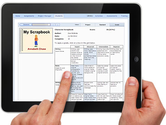
Read reviews, get customer ratings, see screenshots, and learn more about ScrapPad - Scrapbook for iPad on the App Store. Download ScrapPad - Scrapbook for iPad and enjoy it on your iPhone, iPad, and iPod touch.
Read reviews, get customer ratings, see screenshots, and learn more about VoiceThread on the App Store. Download VoiceThread and enjoy it on your iPhone, iPad, and iPod touch.
Read reviews, get customer ratings, see screenshots, and learn more about Videolicious on the App Store. Download Videolicious and enjoy it on your iPhone, iPad, and iPod touch.
Read reviews, get customer ratings, see screenshots, and learn more about Sketch Nation Studio on the App Store. Download Sketch Nation Studio and enjoy it on your iPhone, iPad, and iPod touch.
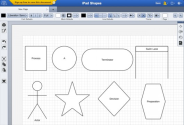
Diagrams made easy. Allow students to easily create visuals such as flowcharts, venn diagrams, org charts and many other diagram types.
Read reviews, get customer ratings, see screenshots, and learn more about Book Writer - eBook, PDF creator on the App Store. Download Book Writer - eBook, PDF creator and enjoy it on your iPhone, iPad, and iPod touch.
Bring your child's imagination to life with imagistory! A creative storytelling app that encourages anyone to be the storyteller, no matter what your age or language.
Designed for children aged 3 and up, the idea behind the app is simple, using wordless picture books it's up to you and your child to use your imaginations to create a story with the pictures. The stories you create are recorded and saved so you can listen to them again later and share them with loved ones.
Imagistory provides an entirely new reading experience, not only is it very fun and easy to use, it's also highly educational! Helping foster creativity, imagination and to develop language and early literacy skills.
The open nature of wordless picture books gives them a huge variety of potential uses, making them great tools for the class room too.
Kids have the wildest imaginations and are already natural storytellers, so help them discover this and unleash their storytelling potential.
We hope you enjoy the app!
Note: we take privacy very seriously and do not collect your personal information from using the app. Please see our privacy policy to learn more, you can find it on our website or in the parents section in the app.
Read reviews, get customer ratings, see screenshots, and learn more about Snapguide on the App Store. Download Snapguide and enjoy it on your iPhone, iPad, and iPod touch.
★Explore your child's creativity with Art Maker★★FREE FOR A LIMITED TIME★If you have an imaginative kid... ★★★★★...just buy it. Simple as that. by LonakechoArt Maker
Need to brainstorm or document an idea while in the classroom? Lucidchart's iPad whiteboard app provides a blank canvas and robust tools literally at your fingertips!
With a customized interface for your iPad, you can create, connect and share your ideas with ease.
Wixie is online educational software combining a paint program with standards-based curriculum activities to build 21st century skills.
Opening the iTunes Store. If iTunes doesn't open, click the iTunes application icon in your Dock or on your Windows desktop. Progress Indicator iTunes is the world's easiest way to organize and add to your digital media collection. We are unable to find iTunes on your computer.
Deekit is a whiteboard designed for online editing. It is an unlimited canvas for you and your class to draw, write, edit and add other content. Together, in real time.
Deekit makes it easy for teachers and students to collaborate, share ideas, discuss complex topics, brainstorm and share class materials and notes in visual ways.